try hack me room UP
May 19, 2026 · 7 min read
A realistic web infrastructure challenge focused on enumeration, networking, and web exploitation. Players will navigate through multiple services including HTTP, FTP, Nginx, and Laravel while uncovering hidden functionality, insecure configurations,
TryHackMe Room — UP
“Sometimes the biggest vulnerabilities are not hidden behind firewalls or encryption — they are left behind by developers in comments, headers, and forgotten services.”
Scenario
A small internal backup system was accidentally exposed to the internet after a rushed deployment.
The developers believed the application was secure enough because authentication was enabled and directory listing was disabled.
Unfortunately, security through obscurity rarely works.
Your mission is to investigate the target, enumerate exposed services, uncover hidden developer mistakes, and capture both flags.
Reconnaissance
As always, the first step is verifying that the target machine is alive.
ping <TARGET_IP>
The target responds successfully.
Now it's time to inspect the exposed web service.
Initial Web Enumeration
Opening the target IP address in the browser immediately reveals something suspicious.
Instead of loading normally, the application redirects to another hostname:
thm_ctf.local
This indicates that the server is configured using virtual hosts and expects requests for a specific domain name.
To confirm the behavior and inspect the HTTP response headers manually:
curl -i http://<TARGET_IP>
The response contains a redirect header pointing toward:
Location: http://thm_ctf.local
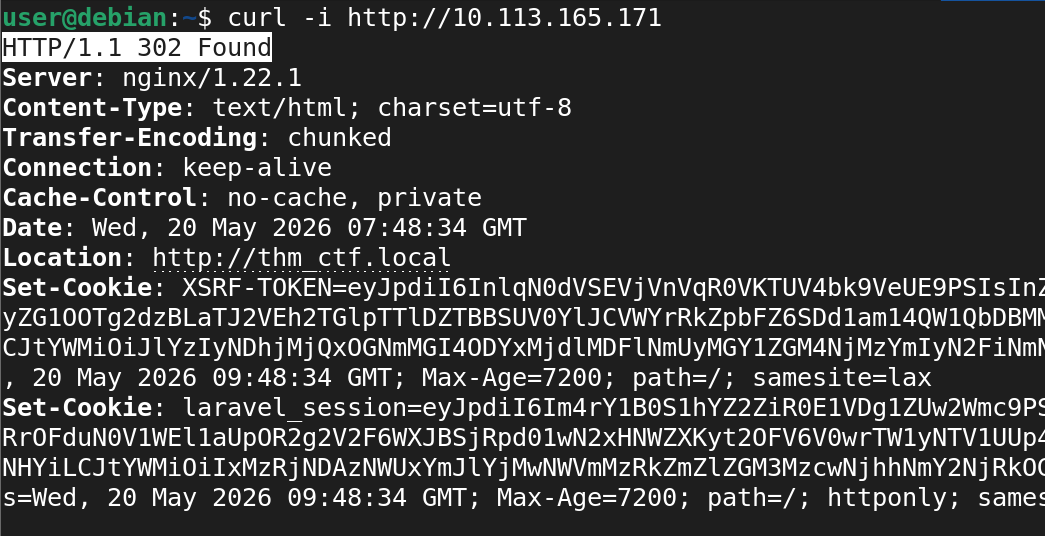
Since the hostname does not exist publicly, it must be added locally.
Configuring Local DNS Resolution
Edit the local hosts file:
sudo nano /etc/hosts
Add the following entry:
<TARGET_IP> thm_ctf.local
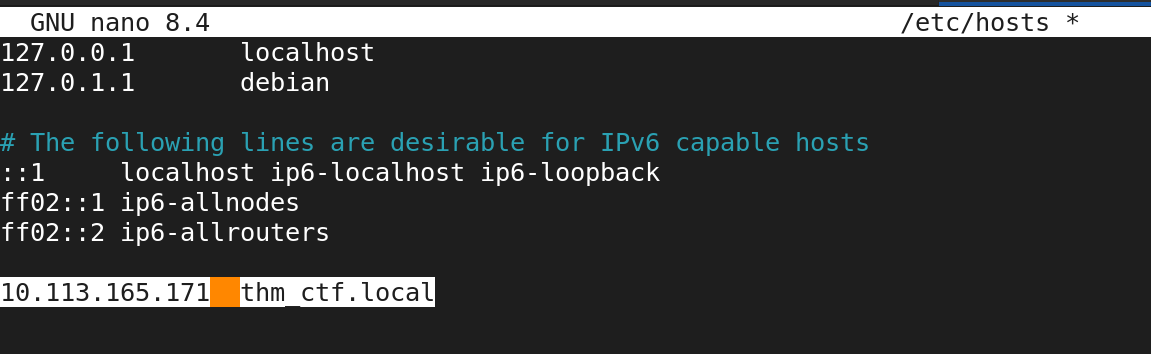
Save the file and reopen the website.
The application now loads successfully.
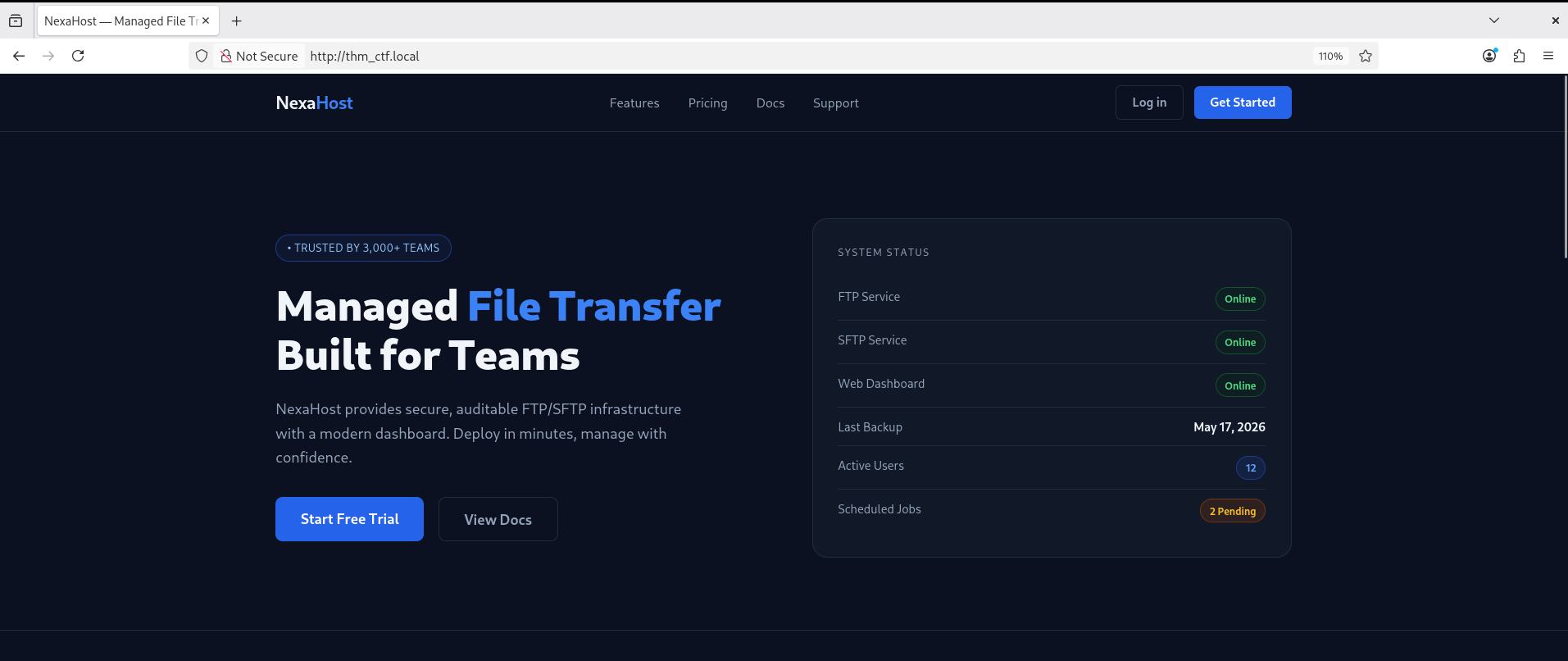
Discovering the Login Portal
Browsing the application reveals a login page located at:
http://thm_ctf.local/login
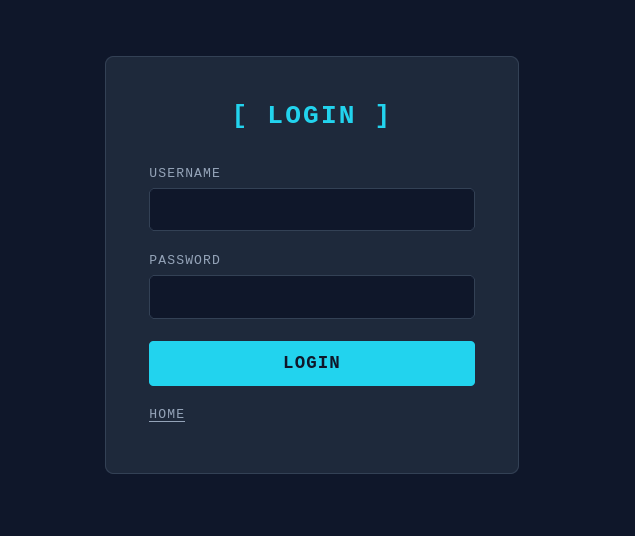
At first glance, the portal appears properly secured.
However, real-world attackers rarely trust appearances.
The next step is source code inspection.
Source Code Review
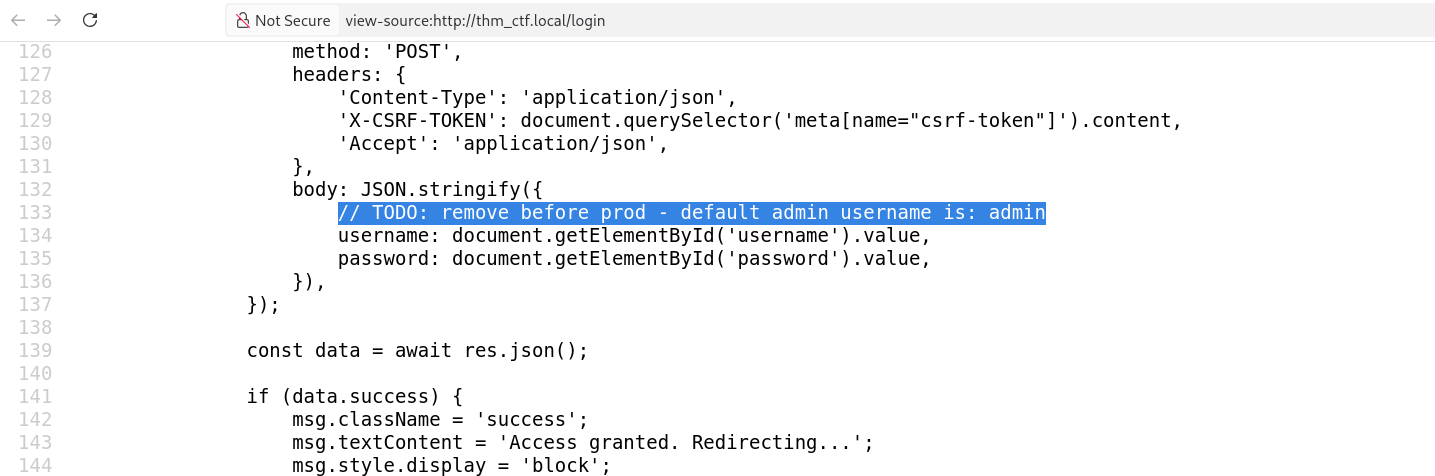
Viewing the page source reveals multiple forgotten developer comments inside the HTML and JavaScript files.
One comment immediately stands out:
// TODO: remove before prod - default admin username is: admin
This confirms a valid username:
admin
Only the password remains unknown.
Failed Brute Force Attempt
A brute-force attempt is performed against the login form.
Initially, every failed attempt returns:
Invalid username or password.
But after several attempts, the response changes unexpectedly:
No brute force needed — the answer is hiding in plain sight.
This suggests the developers intentionally left a clue somewhere inside the HTTP response.
Inspecting HTTP Headers
Using curl to inspect response headers reveals a hidden debug header:
curl -i http://thm_ctf.local/login
The response contains:
X-Debug-Info: this is so easy just THM - WXEweTFxN0d2aWYxV1A=
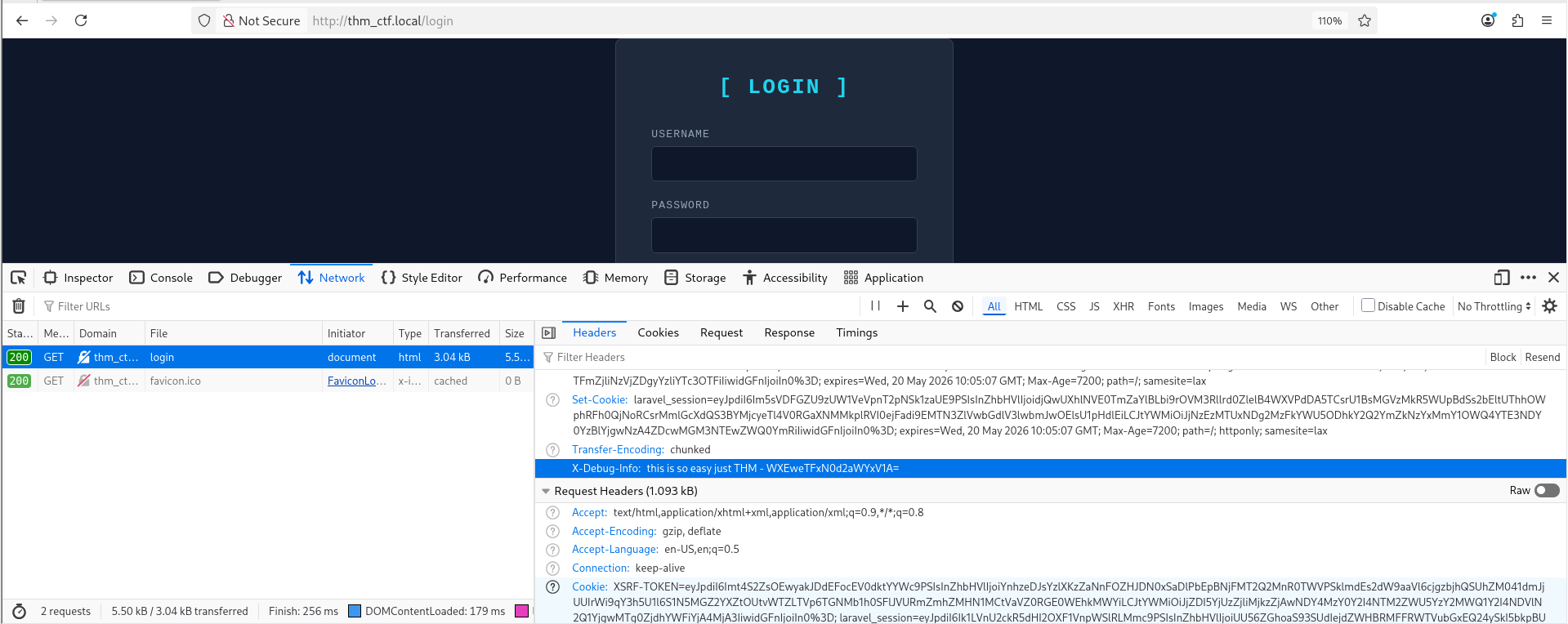
The string appears to be Base64 encoded.
To decode it:
echo "WXEweTFxN0d2aWYxV1A=" | base64 -d && echo
Output:
Yq0y1q7Gvif1WP
This looks like a password.

Initial Access
Using the credentials:
Username: admin
Password: Yq0y1q7Gvif1WP
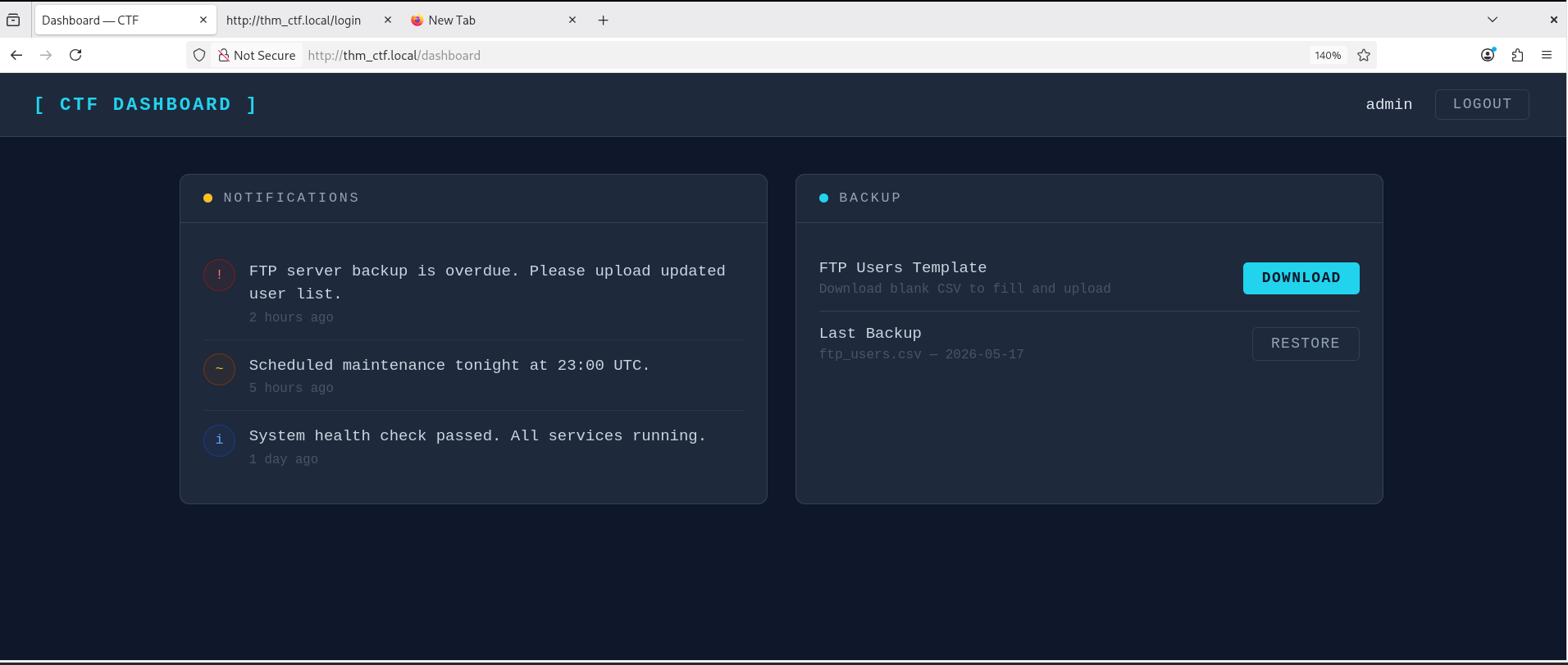
The login succeeds.
The dashboard contains two main actions:
- DOWNLOAD
- RESTORE
It also displays several system notifications.
More Developer Mistakes
Inspecting the dashboard source code reveals another developer comment:
<!-- TODO: RESTORE action is currently broken - do not use, upload manually via FTP -->
This is extremely valuable information.
The comment confirms:
- FTP is enabled
- File restoration happens manually
- FTP may expose sensitive files
Investigating the Backup System
The DOWNLOAD action retrieves a CSV file:
ftp_users.csv
The file appears to be an empty FTP user template.
The download URL is:
http://thm_ctf.local/backup/template/ftp_users.csv
After downloading and opening the file:
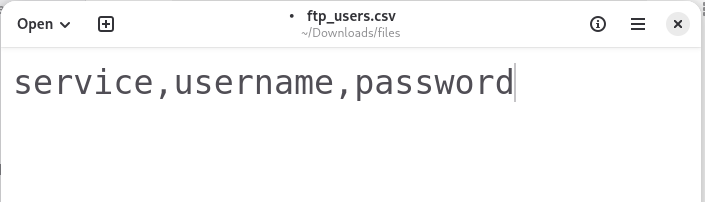
At this point, directory enumeration becomes interesting.
Directory Enumeration
Using tools like Gobuster or DirBuster:
Gobuster
gobuster dir -u http://thm_ctf.local -w /usr/share/wordlists/dirb/common.txt
DirBuster
dirbuster
The scan reveals a hidden directory:
/backup
Unauthenticated access redirects back to the login page.
However, after authentication, the path becomes accessible.
Visiting:
http://thm_ctf.local/backup/ftp_users.csv
downloads the real FTP user list.
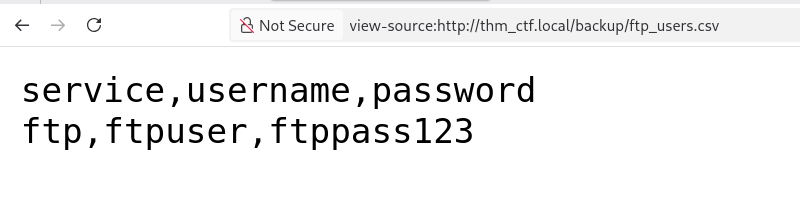
The file contains FTP credentials.
FTP Service Enumeration
Attempting to connect using the default FTP port fails:
ftp thm_ctf.local
Result:
Connection refused
This suggests the service may be running on a non-standard port.
A full port scan is required.
Full Port Scan
Run an aggressive Nmap scan:
nmap -p- -sV -sC -T4 -oA full_scan <TARGET_IP>
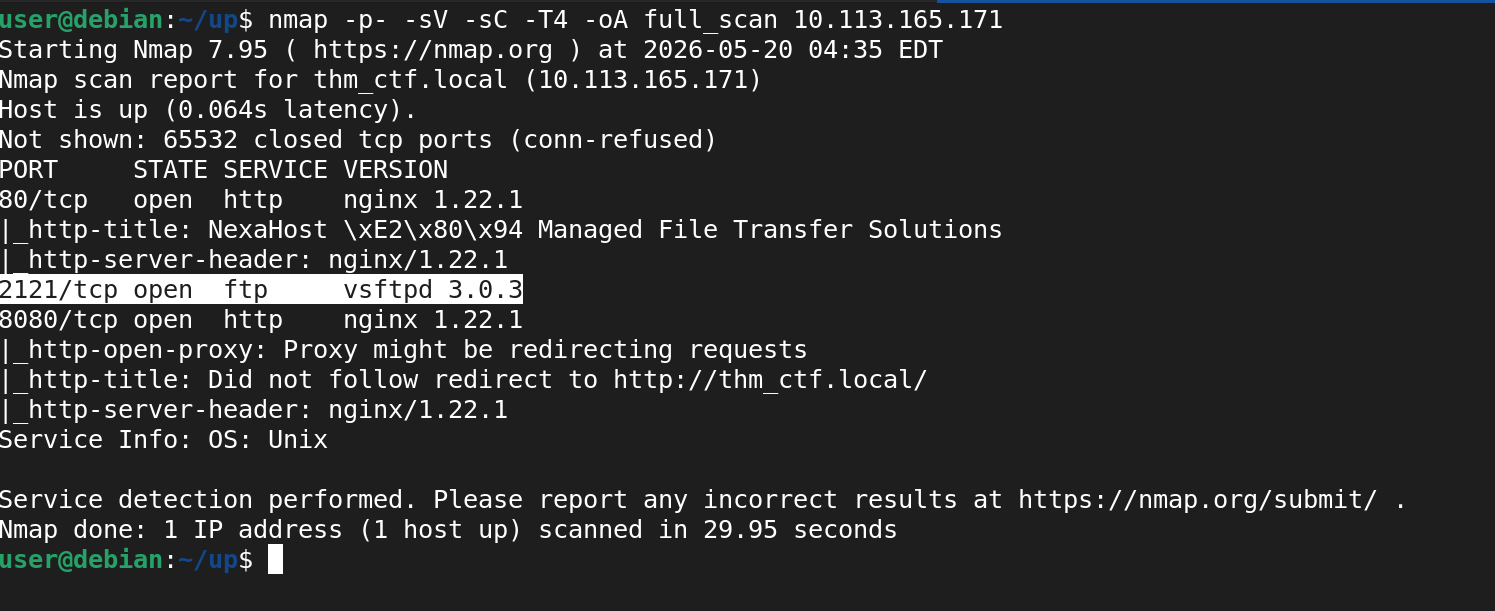
The results reveal an FTP service running on:
2121/tcp
FTP Access
Connect using the discovered credentials:
ftp thm_ctf.local 2121
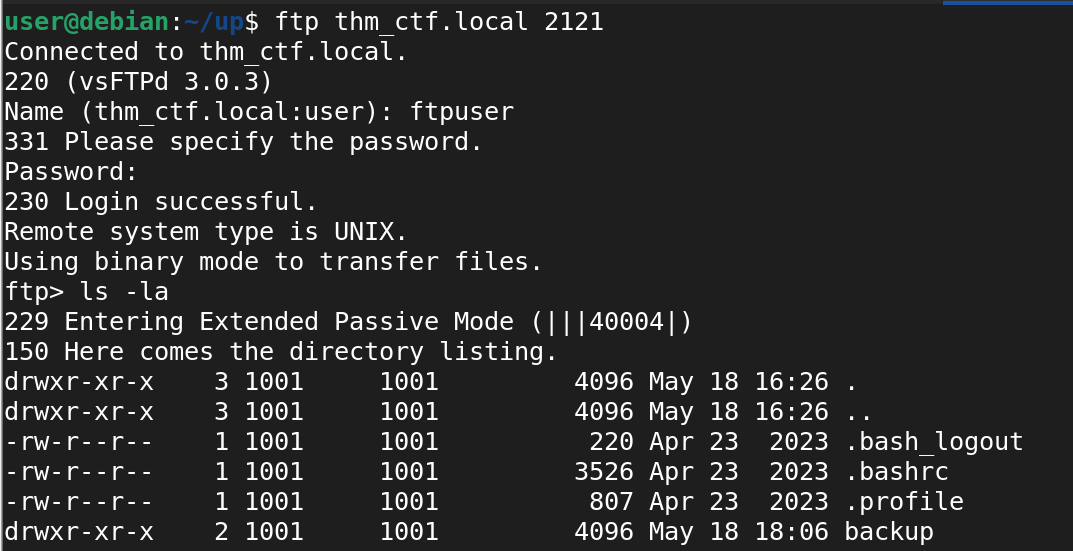
After successful authentication, enumerate available files:
ls -la
Inside the /backup directory, two hidden files are discovered:
.flag1
.nginx-error
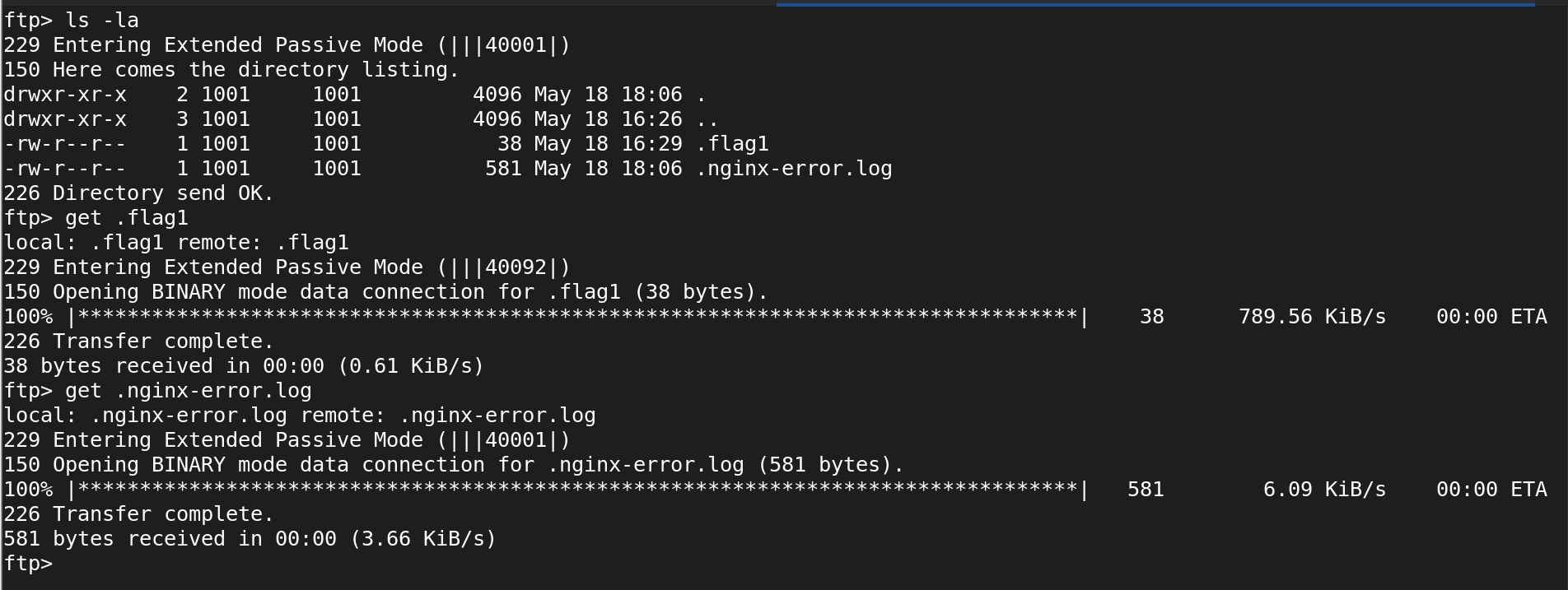
Download the files locally:
get .flag1
get .nginx-error
Flag 1
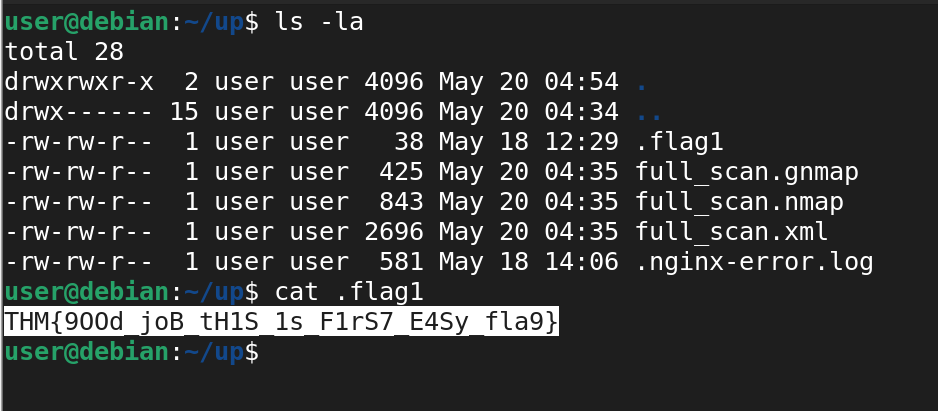
Reading the first file:
cat .flag1
Output:
THM{9OOd_joB_tH1S_1s_F1rS7_E4Sy_fla9}
Analyzing Nginx Logs
The second file contains internal Nginx logs:
2026/05/19 00:11:03 [error] 1337#1337: *21 open() "/var/www/html/admin" failed (2: No such file or directory), client: 192.168.1.15, server: ctf.local

2026/05/19 00:11:44 [warn] 1337#1337: strange rewrite detected while testing hidden endpoint

2026/05/19 00:12:02 [info] internal redirect: "[HOST]:8080/ctf_user_flag_2/nice/ctf/flag"

2026/05/19 00:12:08 [warn] direct access to hidden route attempted by 127.0.0.1

2026/05/19 00:12:14 [notice] fallback redirect enabled for all other locations

2026/05/19 00:12:33 [info] response header added successfully for hidden endpoint
One line immediately stands out:
internal redirect: "[HOST]:8080/ctf_user_flag_2/nice/ctf/flag"
This suggests another hidden service is running on port 8080.
Investigating the Hidden Endpoint
Opening:
http://thm_ctf.local:8080/ctf_user_flag_2/nice/ctf/flag
returns a nearly blank page containing only:
<h1>It's not that easy. Look up.</h1>
The message strongly hints toward checking the HTTP headers again.
Hidden Headers Again
Inspect the response manually:
curl -i http://thm_ctf.local:8080/ctf_user_flag_2/nice/ctf/flag
The response contains:
X-CTF: SGL{mhbd_xnt_gzud_ekzf_svn_mnv_zesdq_shld}
X-AMOUNT: 25
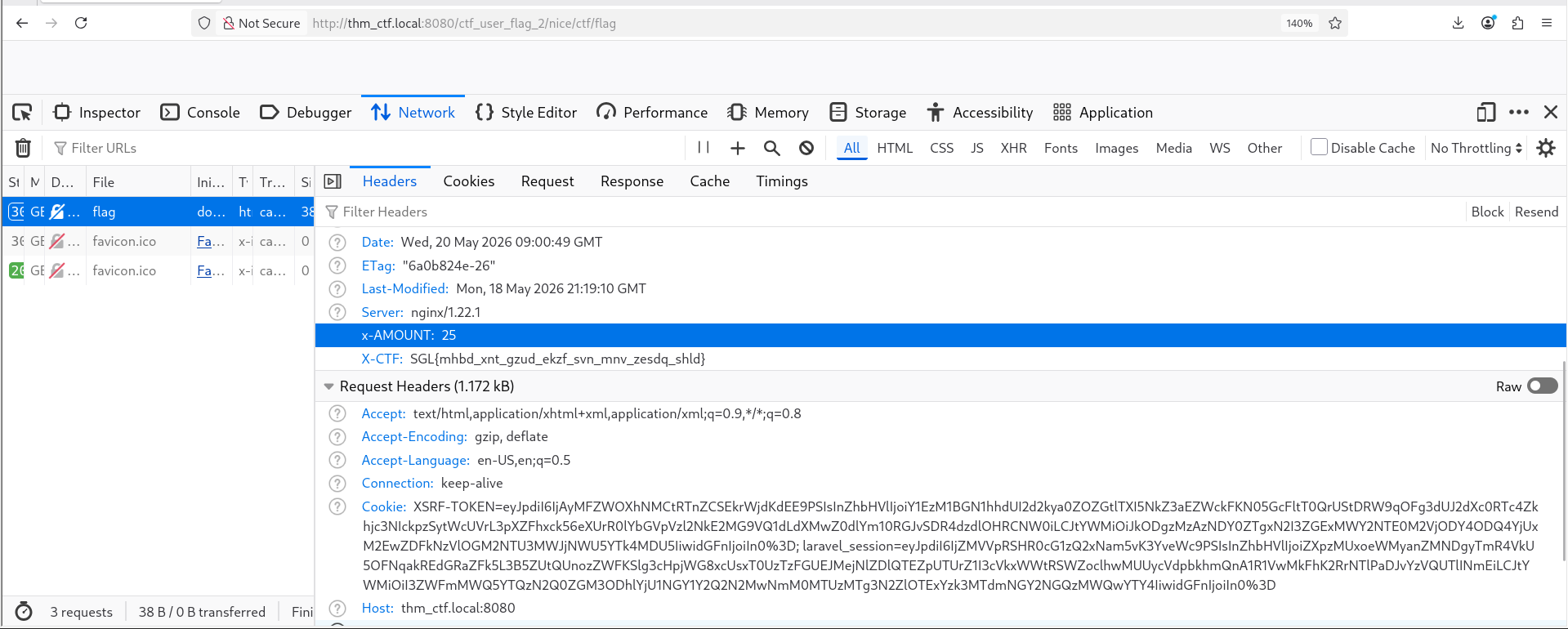
This appears to be a Caesar cipher shift.
The header X-AMOUNT: 25 likely indicates the shift value.
Decoding the Cipher
The encoded string can be decoded using CyberChef or command-line tools.
Using CyberChef
Open:
https://gchq.github.io/CyberChef
Use:
ROT13 / Caesar Cipher
Shift: -25
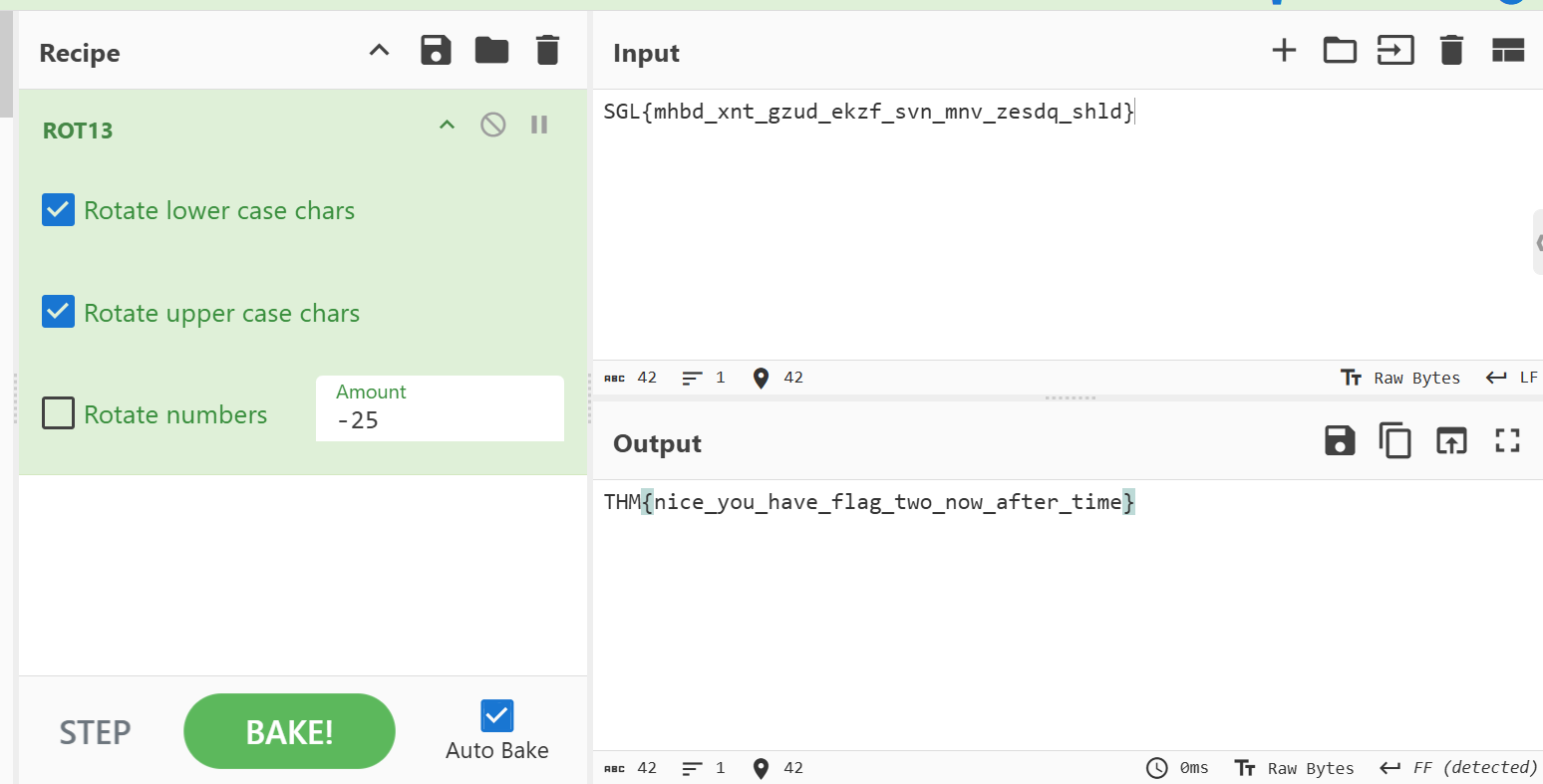
The decoded result becomes:
THM{nice_you_have_flag_two_now_after_time}
Captured Flags
Flag 1
THM{9OOd_joB_tH1S_1s_F1rS7_E4Sy_fla9}
Flag 2
THM{nice_you_have_flag_two_now_after_time}
Skills Learned
This room demonstrates several important penetration testing concepts:
- Virtual Host Enumeration
- HTTP Header Analysis
- Source Code Review
- Information Disclosure
- Base64 Decoding
- Directory Enumeration
- FTP Enumeration
- Nmap Full Port Scanning
- Log File Analysis
- Caesar Cipher Decoding
- Developer Misconfigurations
- Security Through Obscurity Failures
Conclusion
This challenge highlights a very realistic scenario:
No advanced exploitation was required.
The entire compromise was achieved through:
- Poor operational security
- Exposed debug information
- Forgotten developer comments
- Weak internal practices
- Misconfigured services
In real environments, these small mistakes often become the easiest path for attackers.
Sometimes the most valuable secrets are not hidden deeply.
They're simply waiting in the headers.
Tags: #nginx #requests #laravel #rot13